Sharing a Steam Library between Windows and Linux
Published: September 10, 2026 - Back to blog indexTL;DR: I'm now using exFAT, and bind-mount a directory under /home/<myuser> to the compatdata directory in my Steam library on Linux.
When sharing a Steam library between Windows and Linux, there's some issues you might encounter.
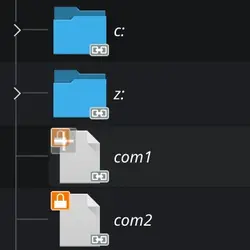
Some files from a Proton install
For starters, Steam on Linux places the Proton-prefixes on the same drive, next to the games in a directory called 'compatdata'. This is a problem on FAT or NTFS partitions, because these don't follow posix-standards and as such don't allow filenames with colons in them.
On the other hand... Windows does't support anything besides (ex)FAT or NTFS. So now what?
I have used ext4fsd before, but lately I've been running into issues using that on Windows 11. The partition that held my games only mounted read-only. And ehh, Steam doesn't like not being able to update your games...
I tried to use WSL to mount the partition, which works fine. However, it exports the drive to Windows as a network-drive... and some games simply refuse to run from that. While I ran into this issue, namely Black Mesa, Counter Strike 2 and War Thunder refused to load from a WSL-mounted drive. Leaving me with the need to move those behemoths (about... 200GB in total?) to another drive just so I could finally start to benchmark those games. Oh man, it was the happiest day of my life. :-(
So I decided to format my ext4 drive as exFAT.
Wait what? Didn't you just say that this doesn't work on Linux? Yeah... but there's a solution! Besides it's natively supported by both operating systems, so I guess it seems like a good solution for sharing files between the two operating systems. And NTFS is kinda crap on Linux, especially when it was not properly unmounted before (fastboot, anyone?).
On Linux I simply made a bind mount to move the compatdata directory to my home partition.
The full thing in /etc/fstab file looks like this:
UUID=EFE9-F302 /mnt/games exfat noatime,uid=1000,gid=1000 0 2
/home/exitguy/Games/Steam/Prefixes /mnt/games/SteamLibrary/steamapps/compatdata none defaults,bind 0 0
The first line is my exFAT partition, bound to user and group id 1000 (the user I'm running Steam with). Sure, I could've made it world-writeable, but this seemed like a cleaner solution.
The second line is the bind mount to my home partition. This will make sure that the SteamLibrary/steamapps/compatdata-directory on the games drive, will be mapped to the given directory on another drive that's an actual Linux-partition. This way, when Steam creates a Proton prefix, it will be written in that directory instead.
After some testing this seems to work very well! At the very least Black Mesa, CS2 and War Thunder run without issues on both operating systems. On Linux I tried both the native port and the Windows variant through Proton and had no issues at all.
I did notice you cannot use the exFAT drive as the default library on Linux, as it will try to install Proton on that drive as well, and apparently Proton itself is full of symlinks, which exFAT does not support. No big deal, but it's a limitation of this setup. Fine for me though! Could be that you'd be better off with NTFS if you really want Steam to install Proton on there.
One other thing I ran into is when I first booted into Windows, it didn't know what to do with the partition. So I had to boot back into Linux and change the actual partition type to 11 (Microsoft basic data partition) for Windows to be able to use it.
It seems this should be doable from Windows with diskpart as well though: https://learn.microsoft.com/en-us/windows-server/administration/windows-commands/set-id
Anyway, that's all I have for you today! Expect future GPU-benchmarks on my channel to be done this way!